



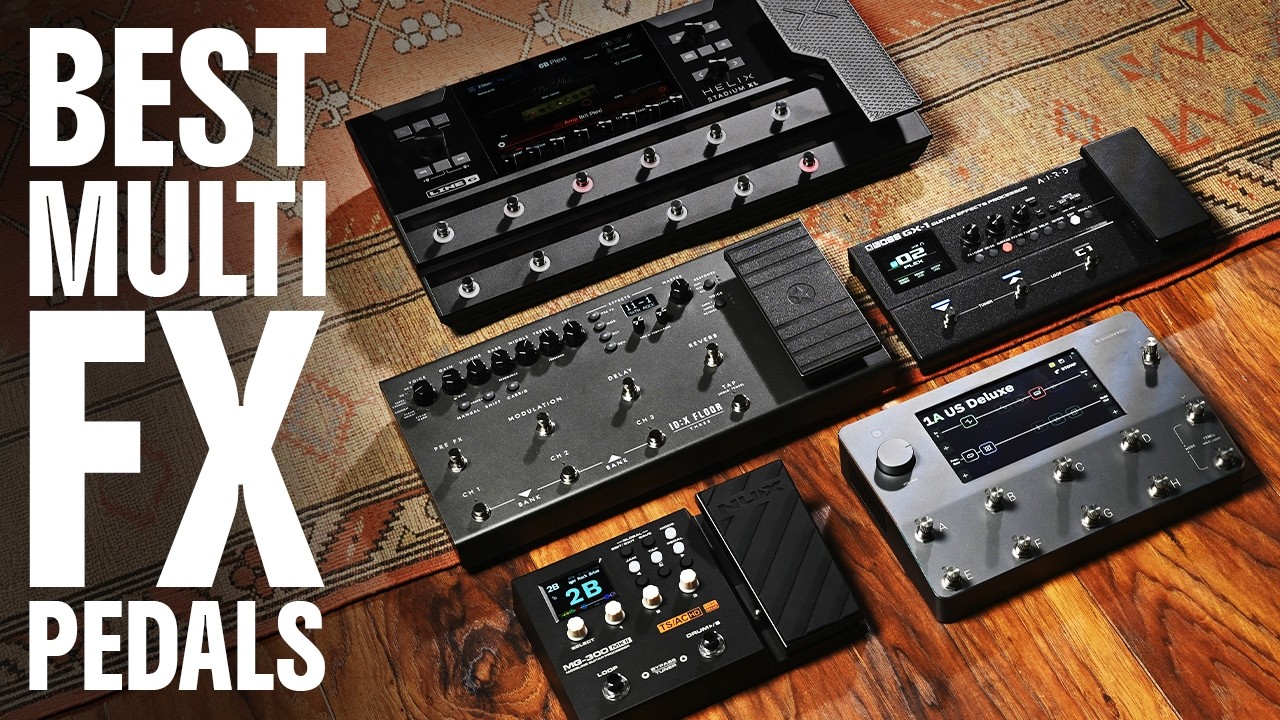
There's an absolutely ludicrous amount of choice today when it comes to buying one of the best multi-effects pedals. We've put 17 different units through their paces for this guide, and there have been plenty of others along the way that didn't quite make the cut. So, it's safe to say we know a thing or two when it comes to what makes a great multi-FX unit.
My first multi-effects was a Zoom 606, which I played alongside a Squier Strat as I was making my first forays into the instrument over twenty years ago now. Since then, I've been regularly playing the guitar live, using a variety of different multi-effects pedals in different ways over the years. When I first started, I used mine through a Fender practice amp, but nowadays a multi-effects pedal will replace your rig in its entirety, making it a great all-in-one solution for practice, recording, and live playing.
If you just want the best multi-effects available and money is no object, you should go and pick up the Neural DSP Quad Cortex. It’s jam-packed with some of the best-quality amp and effects models I’ve ever heard, and despite the incredible depth, it’s actually pretty easy to use. If you’ve baulked at the price of a QC and want something cheap and cheerful, the NUX MG-300 does a lot for relatively little money. I’d also look at the Boss GX-1 as an incredibly complete option for beginner guitarists.
Navigating the world of multi-effects can be tough if you’re new to the guitar, so go check out my how to choose section, which will help you navigate everything you need to know. I’ve also answered loads of common questions in the FAQs section, and you’ll find plenty of knowledge in my glossary of key terms, which breaks down all of the technical terms used when discussing these amazing guitar pedals.
Rather watch than read? The Guitar World team has made a video version of this guide.
Best overall

🎛️ If you've got the cash for it, the Quad Cortex is so flexible it will suit touring players just as well as it does bedroom warriors or studio musicians.
✅Buy if you are looking for the best overall: For our money, the Quad Cortex is the best multi-effects pedal on the market right now, thanks to its superb amp models and excellent usability.
❌ Avoid if you're on a tight budget: As one of the best multi-effects pedals around, the Quad Cortex comes with a pretty significant price attached to it.
Build quality: ★★★★★
Usability: ★★★★★
Sounds: ★★★★★
Overall: ★★★★★
Overview
Part of the attraction to multi-effects units is the sheer potential for experimentation. All those glorious sounds, just waiting to be tweaked and changed. But how much tweakability would be considered too much? Have we reached peak tweak? Not if you ask Neural DSP, whose Quad Cortex is, it claims, the most powerful floor modeler on the planet. A big claim, sure, but it’s easy to see why.
Build quality
The Quad Cortex is relatively small for a gig-worthy amp modeler, and reasonably heavy due to the aluminium chassis. You could still chuck it in a backpack or a particularly large gig bag pocket, and you don’t need to feel bad about doing so, as it’s a very robust bit of kit. The fact that so many pro acts are using these as part of their live rigs should tell you everything you need to know about how rugged it is.
Usability
Although it sounds fantastic, for me the key feature, and what makes the QC so popular, is its usability. Even if you’ve never used a modeler before, the large, responsive touch screen and drag-and-drop operation make it quick and easy to start amending your signal chain. This is augmented by the clever rotary footswitches, which can be operated like knobs to make quick adjustments to whichever block you’ve got selected.
It’s also got its own WiFi connection, so you can update it without having to plug it into your computer. You can do the latter if you want to use it as an audio interface, or just use the XLR outs to go into a PA system or a mic preamp for recording. There’s also a headphone output for silent practice, two FX loops for integrating into more complex setups, and a capture out for making your own amp captures.
As if you would need any more connectivity, it’s also got MIDI, dual expression pedal ins, and combo XLR-1/4/-inch inputs should you want to use it to process mic signals like vocals or other instruments. It’s really one of the most complete feature sets on the market, in a surprisingly compact unit, and this is what makes it stand out versus some very stiff competition.
Sounds
In my testing, I found the range of tones available to be absolutely outstanding. Fender clean, Marshall crunch, Vox chime, Mesa high gain, it’s all here, and it sounds wonderful. The presets are fantastic, and you could get by just using these, but once you start tweaking things, the room for sonic exploration is pretty much limitless. Add in 3rd party impulse responses, and you’ll quite literally have every tone you could ever need.
The effects are fantastic too, with over 70 to choose from and more being added. These can be arranged in a variety of ways so you can have your rig evolve over a full set, or even just a single song. You can swap in amps and effects at will, modulate your parameters on the fly or with the click of a single footswitch, or just operate it like a traditional pedalboard.

"One of the biggest surprises when using the Quad Cortex for the first time is how intuitive the interface layout is. As soon as I’d plugged in, I was instantly surfing the huge number of presets, cycling through and adding various effects as if I'd been using it for years."
Read more: Neural DSP Quad Cortex review
Watch our Neural DSP Quad Cortex demo:
You can trust Guitar World Our expert reviewers spend hours testing and comparing guitar products so you can choose the best for you. Find out more about how we test.
Best budget
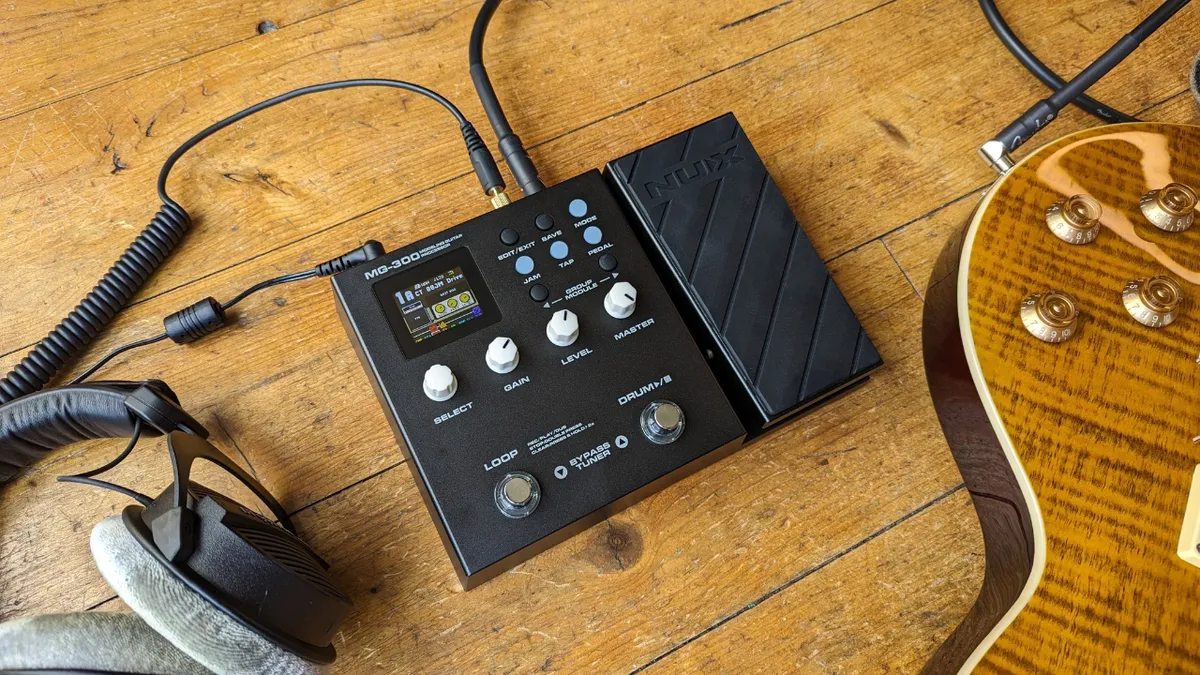
🎛️ If you want something cheap that does the job, or you're looking for an at home practice solution to replace your normal rig, the MG-300 delivers a lot for relatively little.
✅ Buy if you are on a budget: The NUX MG-300 is an incredibly affordable way to get into multi-effects and the tones on offer are outstanding.
❌ Avoid if you are hard on your pedals: This pedal feels relatively well made, it definitely isn't as rugged as the options from Boss or Line 6.
Build quality: ★★★★☆
Usability: ★★★★☆
Sounds: ★★★★☆
Overall: ★★★★☆
Overview
The NUX MG-300 delivers a brilliant feature set considering the price. Its simple user-friendly design with expression pedal, tactile controls, push-buttons, and a color screen is easy to navigate - you’ll barely need to crack open the manual. The MG-300 doesn’t overwhelm you with too many features either.
Build quality
The MG-300 features a plastic build, which is to be expected at this price. It’s pretty rugged though, and certainly good enough for home use. I found the footswitches to be nice and solid, although I can’t see the knobs on the front face putting up with gigging level abuse. The expression pedal is nice and solid, with an adjustable tension via hex wrench so you can customize it to your liking.
Usability
Featuring nine banks with four presets each, it’s got plenty of options for players who want to create their own playlist of tones. Banking is easy via the two footswitches, and if you press both, you can access the tuner. I did find this a little awkward, especially when playing just wearing socks. You have to turn your foot sideways to ensure you hit them both as they’re spaced quite far apart.
Editing presets is nice and easy as you have dedicated knobs, some of which will control varying parameters as you scroll through the settings pages. The display is small, and a little hard to read when standing up, but it’s fine if you’re sitting or have the pedal on a desk. It’s also got a built in looper, and a ‘jam’ mode that lets you play along to some basic drum beats.
Sounds
I was really surprised by the quality of the tones on the MG-300, especially considering the low cost. The clean tones are fantastic, ditto with the mid-gain stuff. Admittedly, the high gain sounds had a tendency to sound a little harsh in the high-end, but overall it does a really great job. There’s some nice touch-responsive stuff here, and although it doesn’t have the hi-fi feel of some of the more expensive units in this guide, for beginners or those who want a cheap practice rig, the amp tones are good enough.
The effects sounds are great too, and I especially enjoyed the ping-pong delays with my headphones on, and the saturated sounds of the tape delay effect. The expression pedal can be lined up to change effect parameters, so you can control the time parameter of the delay block, or just use it for wah or whammy effects. You can also load 3rd party IRs to really take the amp tones to a new level.

"I think the NUX MG-300 is a brilliant multi-effects pedal for the beginner guitarist. It’s packed full of great sounds and options, yet remains easy enough to navigate that newbie guitarists won’t struggle to get their heads around it. The looper is a powerful addition for practicing rhythm and lead playing, and although the connectivity is basic, it does exactly what most beginner guitarists will need."
Read more: NUX MG-300 review
Watch our NUX MG-300 MKII demo:
Best for beginners

🎛️ Jam-packed with features, the GX-1 is the ideal multi-effects for first timers that will take you from your first chords to your first shows.
✅Buy if you want your first multi-effects: Feature-packed, reasonably priced, and packing some great sounds, this is the ideal rig for new players.
❌ Avoid if you want accurate amp models: Boss focuses more on its own amp models, so some of these won’t please those looking for super accurate, classic amp tones.
Build quality: ★★★★★
Usability: ★★★★½
Sounds: ★★★★☆
Overall: ★★★★☆
Overview
Boss’ latest entry-level multi-effects offers players an incredibly complete rig for below the $250 mark, making the GX-1 a great option for players after their first multi-FX unit. It’s got a high-resolution screen, expression pedal, Bluetooth, and loads more features that make it my top pick for beginner guitar players.
Build quality
Boss’ build quality is well-renowned in the world of guitar, and this unit is no different. I found it to be surprisingly thin and lightweight, so even with the added expression pedal you can stick this in a backpack and take it to a guitar lesson or rehearsal. The metal chassis is super rugged, and everything is put together amazingly well, which lets face it is what you expect when you buy a Boss pedal.
Usability
There’s a lot of visual feedback cues on the GX-1, from the bright screen to the LED lights above the footswitches, and the light up hexagonal buttons that mark your signal chain. All of these contribute to making this unit incredibly easy to use, even if this is your first time with a multi-effects pedal. Using the footswitches to access the tuner is slightly awkward, as is the way when it requires two button presses, but on the default mode the heel down position of the expression pedal also brings up the tuner, which is a really neat feature.
Although there’s no power supply included, you can power this unit via USB-C (400mA), a traditional pedalboard power supply at 9V (200mA), and even four AA batteries, which is really something considering the level of processing happening here. Flicking through the presets is simple, and you can instantly dive into the signal chain to start tweaking by pressing the appropriate button on the front face.
Sounds
The sheer number of amp and effects on offer here will be more than enough for beginner players, but I do find myself slightly underwhelmed by some of the amp models. There are those that are great, but I wanted a little more from some of the others. The clean tones are fantastic, but some of the mid-gain and high gain stuff feels a bit fizzy to my ear. Admittedly this can be solved by some EQ tweaking, and new players are unlikely to be able to tell the difference anyway.
The effects are absolutely outstanding though. With pretty much any Boss compact stompbox you can think of available here, it’s a smorgasbord of sound to play with, and will really help new players find their own sound or imitate that of their heroes. There’s some really out there stuff you find in the Boss synth pedals, and even tones that will transform your electric guitar into an acoustic guitar.
“For beginners, I think the Boss GX-1 is a great choice. The build quality is outstanding, and the number of features gives younger and new players plenty to grow into. The sheer number of options in terms of amps and effects models means they’ll have the best possible playing platform going forward.”
Read more: Boss GX-1 review
Watch our Boss GX-1 demo:
Best for gigging

🎛️ For the regularly gigging musician, the Stadium XL is a flexible and rugged multi-effects workstation.
✅Buy if you want a comprehensive multi-effects for gigging: Jam-packed full of features and with plenty of fantastic tones, this is a great multi-effects for the gigging player.
❌ Avoid if you want something compact: It’s quite large, so look elsewhere if you prioritise portability.
Build quality: ★★★★★
Usability: ★★★★★
Sounds: ★★★★☆
Overall: ★★★★½
Overview
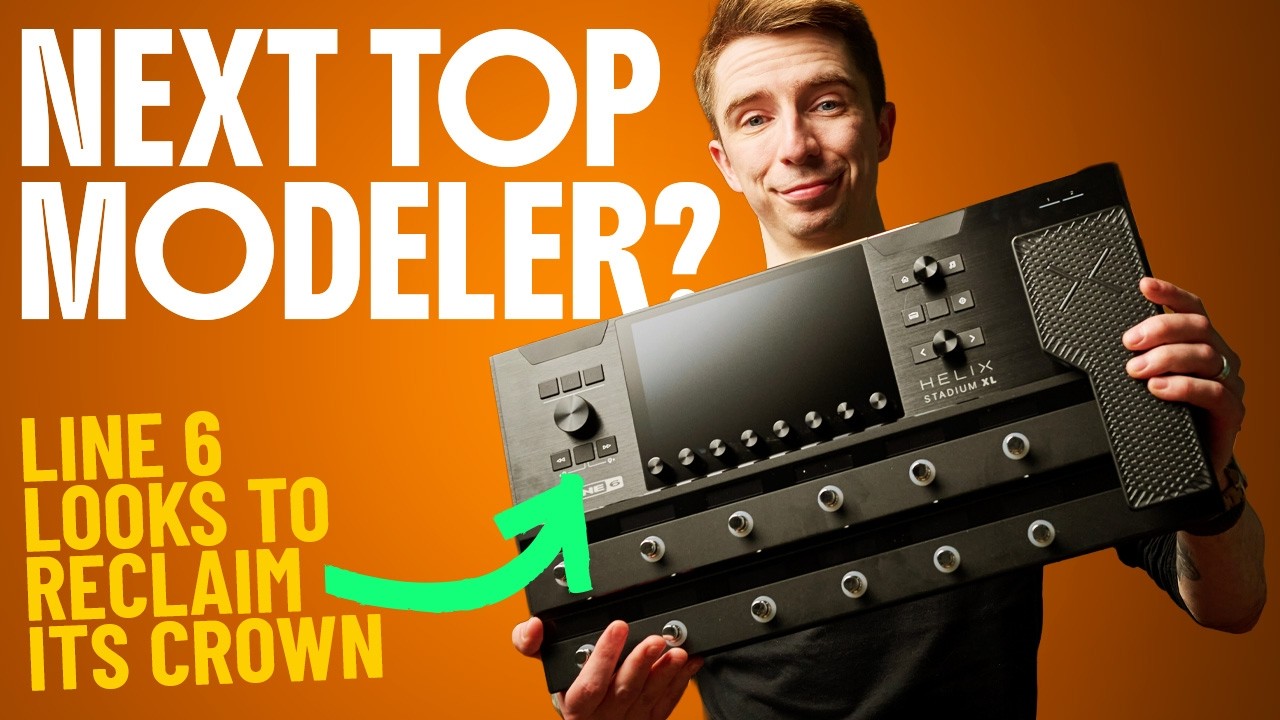
The original Line 6 Helix series feels like it’s been around for an age now having been released way back in 2015, but now it’s finally gotten an update with the flagship Line 6 Helix Stadium XL to take it firmly into the modern era of modeling. With a massive touch screen, improved I/O, and a new modeling engine, the Stadium stakes its claim as one of the best multi-effects pedals available right now.
Build quality
The Stadium XL has a robust, brushed aluminium chassis that feels plenty rugged enough to cope with regular gigging duties. The footswitches press in with a reassuring clunk, and the expression pedal has a really sturdy action that’s adjustable for your particular tastes. The screen is massive, and the level of detail is really high, so I see little chance of it getting lost even under bright stage lights.
The scribble strips have also been improved from the original Helix, with a high contrast OLED display that makes them super easy to read. While it’s smaller than the original Helix, it’s still larger than other units like the Quad Cortex and Fender Tone Master. That said, it also has an expression pedal, whereas the others require an external one.
Usability
Utilizing the same block-based signal path as many other multi-effects and amp modelers, the Stadium XL is super easy to dive into and start moving things around to experiment with your sound. The icons are bigger and much easier to recognize, and you can split your signal at any point, as was available on the earlier versions. The capacitance footswitches also make a return, so you can simply touch a footswitch to bring up the block it's assigned to.
The 8-inch screen is larger than you’ll find on any other multi-effects currently available, and it’s super responsive, making it easy to drag and drop your signal chain. With so much potential to tweak, Line 6 has seen fit to include a search function so you can more quickly find what you’re looking for, and like the Quad Cortex, it’s got built-in WiFi so you can update it without connecting to a computer.
Sounds
The new Agoura amp models have been completely redesigned in order to make them more accurately mimic the real thing, and when I compared them one-on-one with the previous generation of Helix, there was a tangible difference. The playing dynamics felt better, the clarity of chords more apparent, and the harmonics and overtones responded more realistically as we turned down the volume knob.
The effects haven’t yet received this treatment, so they are essentially the same as those on the Helix series. For me that means the drives are a little lacking in detail, but the reverbs, delays, and modulation effects remain some of the best available right now. With Line 6’s previous commitment to constant and meaningful updates, I see no reason why the tones on the Helix Stadium XL will continue to get better and better.

“With new amp models that feel lively under the fingers, increased processing power, a massive touchscreen, and a host of other features that not only modernise the Helix Stadium XL Floor but also make it one of the most user-friendly pieces of gear on the market, the Stadium easily surpasses its predecessor and is a great choice for any working guitarist.”
Read more: Line 6 Stadium XL review
Watch our Line 6 Stadium XL demo:
Best for recording

🎛️ For those who like to endlessly tweak their settings, the Profiler Head Mk2 is the ultimate studio tool.
✅Buy if you want a proper studio workhorse: With its vast array of amp tones and endless tweakability, this is one for those who really like to get in the weeds with their guitar tone.
❌ Avoid if you are new to multi-effects: This is a professional-quality effects unit, and it will be intimidating for newbies.
Build quality: ★★★★½
Usability: ★★★★☆
Sounds: ★★★★½
Overall: ★★★★½
Overview
The original Kemper Profiler Head was a complete game-changer when it came to profiling technology. For a long time, it stood as the benchmark for digital guitar tones, but with recent releases like the Quad Cortex and Fractal units, the original started to show its age. Enter the Kemper Profiler Head Mk2, which aims to win back the top spot.
Build quality
There are a lot of buttons on the front of the Kemper, so make no mistake, this is not a beginner-friendly unit. The LCD screen makes it feel a bit dated though, especially compared to some of the full-color options available elsewhere in this guide. The aluminium chassis feels very rugged though, and all the buttons and knobs are well applied.
Usability
The Profiler Head Mk2 features extensive connectivity, so it's ready for pretty much any situation, whether you're recording in the studio or taking those recorded tones out on the road. The sheer number of buttons on the front face is at first rather intimidating, but once you take some time to learn what everything does, it actually ends up being pretty intuitive, especially if you've used this sort of tech before.
There's a large chicken head knob on the left-hand side, which helps you navigate through the huge variety of menus and sub-menus needed to operate a multi-effects with this level of depth. There's a bit of a delay switching between the main menu options, which I found a little bit annoying here.
Most people will probably use the Rig Manager software, as it feels like a much more user-friendly way to operate the unit. It's still not as slick as the equivalents from Line 6 and Neural DSP, but everything is well laid out once you get used to it, and you can run the app from your mobile phone or your laptop. One thing to note is that if you want to use the Profiler Head Mk2 for live playing, you'll need to buy the separately sold footswitch to make the best of it.
Sounds
The Kemper Profiler Stage uses captures rather than amp modeling, or ‘profiles’ as Kemper themselves like to call them. The reason many pro musicians love to use these units is precisely that they’re able to accurately snapshot a rig in its entirety. You are, however, subject to the skill of the person who created the capture, which means some are a lot better than others.
Thankfully, the Kemper comes loaded with over 300 profiles, and these are really great quality. Including everything from Fender cleans, Marshall crunch, Vox chime, and some high-gain stuff, they'll cover all the bases most guitar players need. You can amend these with additional profiles of your choosing, and the new Profile 2.0 sounds are some of the most accurate I've heard.
The effects selection is just as good, encompassing all the major food groups you'd expect to find with drives, distortions, modulation, reverb, and delay. The main effects tend to focus on classic pedals like the Big Muff and Rat, but there are some interesting Kemper-specific effects with more tweakability that allow you to craft some more original tones.
"The look may not be for everyone, and the small LCD screen makes the Kemper MK2 feel a little dated compared to the competition, but it delivers when it comes to tone. With new Profiling 2.0 leading the way, and a suite of high-end effects, it is a formidable competitor in the digital amplification world, once you get that initial learning curve out of the way."
Read more: Kemper Profiler Head Mk2 review
Best tactile

🎛️ If you'd rather push a button than use a touch screen, the ID:X Floor Three delivers a decidedly amp-like workflow.
✅Buy if you hate software and menu-diving: The workflow of the ID:X Floor Three makes it much more like a traditional amp, great if you prefer turning knobs over using software
❌ Avoid if you want something lightweight: It’s not the biggest unit here, but I found it to be surprisingly heavy considering the size.
Build quality: ★★★★½
Usability: ★★★★☆
Sounds: ★★★★½
Overall: ★★★★½
Overview
Blackstar’s amp modeling game has really kicked it up a notch in the past few years, and with the latest ID:X range the UK-based company has made a serious jump forward. The Blackstar ID:X Floor Three is their flagship multi-effects pedal, and rather than relying on software, it takes things back to basics.
Build quality
The Floor Three is an incredibly robust feeling unit, and my immediate impression when I was testing is that it’s quite heavy for a multi-effects. It’s around 3kg on my scales, which is heavier than the Quad Cortex despite it being smaller. With that weight however, comes a feeling of robustness that means I don’t doubt its ability to put up with live playing. The chassis is all metal, as are the footswitches, and although the expression pedal is hard plastic, it too feels very solid.
Usability
I’ve used the majority of the multi-effects in this guide, and this is where the ID:X Floor Three really stands out. Because its laid out like a traditional guitar amp, it’s incredibly easy to start diving into the presets and changing your tones up. The screen is there really just to be a guide to the tweaks you’re making with the knobs, giving you some handy visual cues like the position of the knob before you started moving it.
The effects do require a tiny bit of menu diving, but it’s all so intuitively laid out that it doesn’t feel like a slog to get there. Within five minutes, I was flying around the unit to make adjustments, without a thought to opening up a PDF manual or connecting it to the computer to load up the companion software. You can do this, of course, if that’s your preferred workflow, and there are some features like the CabRig editing, which you can only access via a computer.
Sounds
Despite only having twelve amp models, the sounds here are really quite good. All of your major food groups are covered from scooped clean tones to high-gain monsters, and they’re recreated with unnerving accuracy. There’s a feel thing at play here, and having used more expensive and cheaper multi-effects across the spectrum, I can say that the ID:X Floor Three really does feel like playing through a tube amp.
The effects are superb, and I particularly enjoyed the sound of the reverbs, as well as the room section of the cab simulation. With a pair of headphones, it really delivers on that classic amp in a room sound, adding a sense of space and realism that contributes to the overall engaging sound of this multi-effects pedal.
“Some of the usability could be an issue for players wanting to use the Floor Three as a live rig, but I can foresee that many will be swayed by the excellent quality of tones on offer, with amp and cab models that surpass some expensive units from bigger brands. While it’s lacking a little in terms of features and number of sounds versus something like the Boss GX series, the quality shines through, and fewer options mean more time playing.”
Read more: Blackstar ID:X Floor Three review
Watch our Blackstar ID:X Floor Three demo:
Best for pedalboard

🎛️ If you're not convinced about doing away with a pedalboard or amplifier entirely, the Fractal AM4 is a great way to integrate modeling into an existing rig.
✅Buy if you want to augment an existing pedalboard: With its compact size and insane quality amp and effects models, this is a great option to complement your existing pedalboard.
❌ Avoid if you want something easy to use: This unit will take some time to master, so avoid it if you like something that gets straight to the point.
Build quality: ★★★★★
Usability: ★★★½
Sounds: ★★★★½
Overall: ★★★★½
Overview
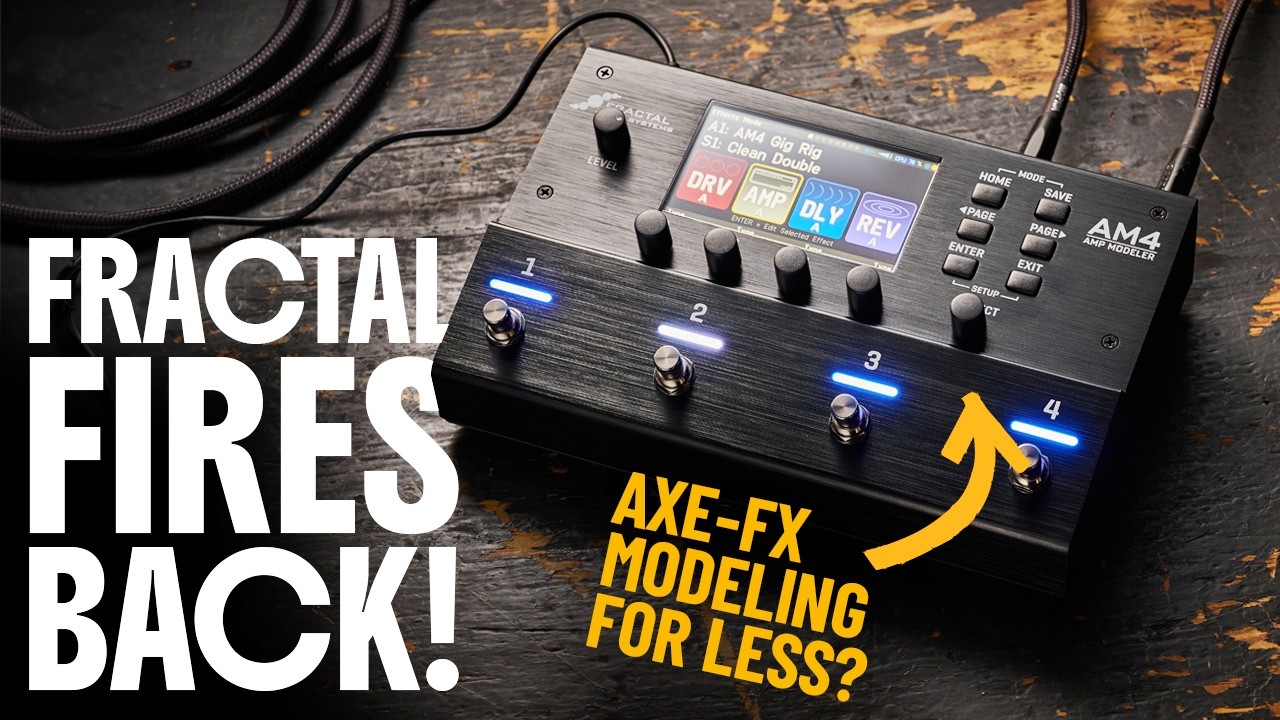
Fractal was one of the first companies to start marketing amp modeling towards professional players, and for many, the Axe-FX III remains their modeler of choice. The Fractal Audio AM4 takes those same amp and effects models, but places them in a compact floor pedal that can easily fit onto an existing pedalboard.
Build quality
Like many of the other multi-effects here, the AM4 features a brushed aluminium chassis. It’s designed for live playing, and players will appreciate the footswitches that are slanted towards you, making them much easier to press. Each footswitch features a bright LED that changes color depending on what it’s doing, and there’s a nice heft to each footswitch that’s very reassuring.
Usability
Thanks to the combination of encoders and buttons, not unlike that on the Line 6 HX Stomp, navigating through the menus feels nice and fluid. The 6.3-inch screen doesn’t support touch input, and it would probably be too small for that anyway, but it’s nice and bright and your four presets are displayed clearly enough that you can see them when standing up.
The menus are very text-heavy though, and some modes are accessed by holding down two footswitches at the same time which can make things pretty awkward. Also when editing scenes, the screen view doesn’t change, which can make it difficult for you to know which mode you’re in. For this particular unit, I’d recommend using the edit app to make these more complex changes to your setup.
Sounds
The amp tones here use the same engine as those in the Axe-FX III, and you can definitely hear that from the off. These amp models sound like studio guitar tracks with EQ and compression already applied, and respond to picking dynamics brilliantly. There’s bags of clarity even with super saturated sounds like the Peavey high gain model, and there’s plenty of cutting high-end on the AC30 model as you’d expect.
There’s plenty of effects choice too, and A/Bing the Tube Screamer model with its real-life counterpart, there were only minute differences in these overdrive tones. The Fuzz Face fuzz pedal emulation is really well done, something modelers can struggle with, and there are plenty of reverbs and delays on offer with basically every tone imaginable taken care of.
“Sporting Fractal's renowned Cygnus X-3 amp modeling, the AM4 is a very capable, compact modeler at home on any professional pedalboard. The modeling is backed up with an expansive selection of highly tweakable effects, and at a relatively competitive price point to boot. The compromise is that it is not the easiest to use; however, in this case, the manual diving is well worth it.”
Read more: Fractal Audio FM4 review
Watch our Fractal Audio FM4 demo:
Best portable

🎛️ For those who play at home mainly or only do smaller gigs, the Quad Cortex Mini offers all the power of the full unit in a much more portable chassis.
✅Buy if you want quality tones in a compact package: The QC Mini packs all of the power of the bigger Quad Cortex into a much smaller unit.
❌ Avoid if you want flexibility: The limited footswitches and streamlined UI mean this isn’t as immediate as a full-size QC.
Build quality: ★★★★½
Usability: ★★★★☆
Sounds: ★★★★★
Overall: ★★★★½
Overview
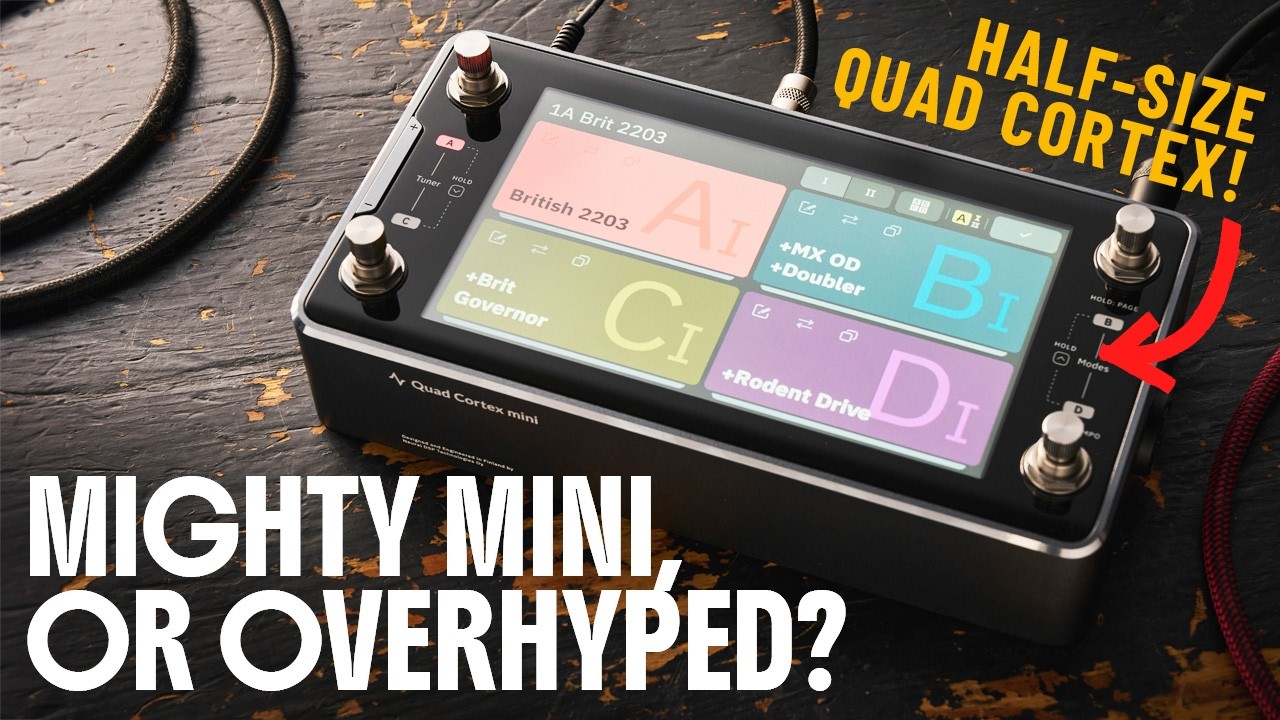
Nowadays, I think it’s safe to say that the Quad Cortex is the gold standard for floor modelers, and with so many pro players using these in their live rigs, I don’t think I’m alone in that. For those who baulk at the size of these modelers however, you can now access all that power in less than half the size with the Neural DSP Quad Cortex Mini.
Build quality
Let’s get the elephant in the room out of the way, yes, there’s a lot of glass on Quad Cortex Mini. While we tested our unit with the usual rigors of practice, live shows, and home use, thankfully, Ola Englund stepped up, or stepped down rather, by driving his foot into the screen of the QC Mini repeatedly to see how it would hold. It more than held its own in multiple tests and when we chatted to John Connearn, the Neural DSP ambassador, he challenged us to try our best to break it!
Usability
While it has the same amp models and features as the larger Quad Cortex, the Mini is a decidedly different pedal when using it. You’ll need to memorize different footswitch presses to unlock certain functions like the tuner, looper, and different modes. In different modes these footswitch combos also perform differently, so there’s a bit of a learning curve memorizing everything.
The footswitch layout is an interesting one, too. For me, I’d prefer it laid out like the HX Stomp or Fractal AM4, with all the switches along the bottom. The fact that it’s flat also means you have to sort of reach over with your foot to get the ones at the back. Actually tweaking stuff is mostly the same, with a few extra steps due to the lack of footswitches, and of course, it’s a touchscreen so you can quickly drag and drop like you would on the full Quad Cortex.
Sounds
The thing I love about Neural’s models is that they instantly sound good with minimal tweaking, and that’s exactly the case with Cortex Mini. All the same amp and effects models are present and accounted for, whether you want Fender cleans, Marshall crunch, or EVH brown sounds. Many other modelers struggle with those edge-of-breakup tones but not so here, the QC Mini accurately replicates the sound, and probably more importantly, the feel of these types of sounds.
It also features the new Capture V2 models, which have improved on the sag and bloom of classic tube amps, as well as the dynamics you get when playing with actual analog gear. The effects selection is uncompromising too, with pretty much any effect you can think of represented. It means that rather than being an addition to a pedalboard, the QC Mini makes a case to replace yours entirely.

“There's no doubt the Quad Cortex Mini is an expensive piece of kit, but the phrase "you get what you pay for" has never been more applicable. This is an incredibly powerful, incredibly versatile pedal that crams gold-standard modeler experience and sounds into the smallest form factor possible.”
Read more: Neural DSP Quad Cortex review
Watch our Neural DSP Quad Cortex Mini demo:
Best for bass

🎛️ With a bunch of iconic bass amp models and its small size, the HX Stomp is ideal for the regularly gigging bassist who wants something compact that sounds great.
✅Buy if you want great bass amp and effects modeling: The HX Stomp features a great range of bass amp models and plenty of effects.
❌ Avoid if you want flexibility: The limited footswitches and streamlined UI mean this isn’t as immediate as a full-size QC.
Build quality: ★★★★½
Usability: ★★★★☆
Sounds: ★★★★½
Overall: ★★★★½
Overview
It’s been around for a while, but the Line 6 HX Stomp is still a great multi-effects pedal and amp modeler. I’ve been using one on my own ‘board for many years now, and thanks to plentiful updates from Line 6, it’s remained up to speed with the newer amp modelers that have launched more recently. For bass players, it’s one of the few multi-effects that features a good number of bass amp models and matched cabs.
Build quality
I’ve been gigging the HX Stomp for around five or six years now, so I know from personal experience that it’s more than hardy enough to put up with the abuse that comes with live playing. It’s very solidly built and relatively lightweight, and the size is such that you can easily chuck it in a backpack to take to a gig with your bass guitar. All the footswitches and knobs have put up with plenty of stomping from me in punk rock and metal bands, so you won’t have any worries about using this as your live rig.
Usability
Using the HX Stomp does take a bit of learning. Even after having owned it for some time, I still occasionally find myself having to look up the particular shortcut for a function or how to access a particular feature. Thankfully, it does have a decent amount of buttons and encoders, so making tweaks to your signal chain is pretty simple once you’ve gotten your head around where everything is.
I prefer to make deeper changes to my signal chain by using the Helix Native app, which is available at a discounted rate for those who already own Line 6 hardware, and acts as a full-fledged guitar plugin you can use in your DAW. It also has three different modes with stomp acting like a traditional pedalboard, scene letting you move through a signal chain with different settings, and preset letting you line up multiple presets to switch between.
Sounds
Despite it being slightly older, the sounds here are absolutely fantastic for bass guitarists. As Line 6 owns Ampeg, there are official models of these, like the SVT-4 and B-15. There are also some models based on Fender, Orange, Aguilar, Mesa/VBoogie, Gallien-Kreuger, and more, so plenty for low-end merchants to get stuck into. A bunch of these models also have matching cabs with 8x10, 4x10, 2x15, and many others available.
The range of effects on offer in the HX Stomp is amazing too, so you can get all those classic bass effects like chorus, filters, wah, octave, and of course, compressors available to play with. You can also load in 3rd party IRs for modeling if you prefer to use your own cab sounds, or send it into the FX return of an existing bass combo amp to utilize the power amp and physical speaker.

“If you also play bass, or if bass is your primary instrument, HX Stomp has plenty to offer as well. Line 6 did not skimp with HX Stomp’s selection of effects, amp and speaker cab models for bass, which is highly welcome news for low-end specialists.”
Read more: Line 6 HX Stomp review
Spec comparison
Here you'll find a table to compare our top multi-effects pedal picks. This allows you to see each model side by side and determine which is best for your needs:
Model |
Amps |
Effects |
Footswitches |
Inputs |
Outputs |
Power |
|---|---|---|---|---|---|---|
Neural DSP Quad Cortex |
90+ |
70+ |
11 |
2 |
4 |
12V DC |
NUX MG-300 |
25 |
50 |
2 |
1 |
1 |
9V DC |
Boss GX-1 |
23 |
38 |
3 |
1 |
2 |
9V DC/USB-C |
Line 6 Helix Stadium XL |
134+ |
274+ |
12 |
5 |
4 |
IEC Cable |
Kemper Profiler Head Mk2 |
200+ |
400+ |
14 |
2 |
8 |
IEC Cable |
Blackstar ID:X Floor Three |
12 |
35 |
3 |
1 |
4 |
9V DC |
Fractal Audio AM4 |
240+ |
325+ |
4 |
1 |
2 |
9V DC |
Neural DSP Quad Cortex Mini |
90+ |
70+ |
4 |
2 |
4 |
12V DC |
Line 6 HX Stomp |
80+ |
200+ |
3 |
2 |
2 |
9V DC |
Also consider
How to choose

It’s a wide world when it comes to multi-effects, which makes picking the right one for your own wants and needs a little tricky. Let’s help you narrow things down, then, with these key criteria you should bear in mind before you buy.
1. Amps vs effects
When looking at multi-effects pedals, you don’t really have to pick between good amp modelling and good effects patches; they aren’t as mutually exclusive as they once were. Still, different devices by different manufacturers play to different strengths. As such, it’s worthwhile figuring out which one means more to you.
If your primary hope with a multi-effects pedal is to get a decent emulated amp sound, you’ll want an amp modeler with tweakable amp models, like a Kemper amp profiler – as opposed to a multi-effects pedal with amp-tone presets or snapshot captures, which are less customizable to your needs. If you want access to a wide variety of effects, sounds and routing options, you’ll want a device that focuses more on powerful patches than amp emulation – like the Line 6 Helix.
2. Form factor
Size isn’t a vitally important consideration, but it is something to bear in mind if you already have a pedalboard – or are hoping to put an easy-to-gig rig together. Multi-effects pedals with large floor footprints are designed to effectively replace your pedalboard, so these are a good idea if you’re after a full-service, one-stop shop for all things tone.
That said, smaller multi-effects are not necessarily less capable. The Neural DSP Quad Cortex Mini, for instance, is small enough to fit on a medium-sized pedalboard but dense enough to provide a whole host of pedal-effect firepower. You sacrifice some granular control of your patches as a result of that smaller footprint, but the tradeoff is a worthwhile one.
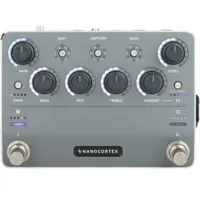
If you have a full pedalboard, minimal space and the need for amp models or extra effects capacity, though, you might need to go even smaller; thankfully, there’s a host of micro-sized multi-effects on the market for those cramped corners of your ‘board, the Tonex ONE amongst them.
3. Ins and outs
A multi-effects pedal is only as useful as its inputs and outputs are to you. Guitarists with simple needs will not need to worry so much about this, but there are still some things to bear in mind. For instance, do you want to run everything in your multi-effects, and send your output straight to your audio interface (or the FOH desk at a given gig)? If so, you might want a multi-effects pedal with a balanced DI output, to preserve the tone and noiselessness of your guitar sound.
The more complex your rig gets, the more I/O you stand to benefit from. If you want to integrate pedals of your own into your setup, or use the four-cable method with your digital patches, you might look for a multi-effects pedal with an effects loop built in.
For complex and evolving patches, MIDI or CV control inputs can give you better control over different effects parameters. MIDI is particularly powerful for live performance. You could use an external MIDI footswitch to control different parameters; you could even hide MIDI commands in your band’s backing track, automating the switching of effects presets to the progression of a song.
FAQs

Can a multi-effects pedal sound as good as a tube amp?
The short (and somewhat divisive) answer is: yes, a multi-effects pedal can sound as good as a tube amp when emulating tube-amp tones. The long answer is a little more complex, going to the nature of modern multi-effects, as well as the culture surrounding amps, tone and analog signal chains more generally.
A good starting point would be to acknowledge that if you asked the same question around 20 years ago, you’d be laughed out of the room. Multi-effects pedals are typically digital devices, cramming software emulations of various effects into a single unit for convenience. Software-based emulations of analog hardware, like guitar amps, would be bundled in too, and were not nearly as sophisticated as they are today; there was no substitute for a proper tube amp.
Today, though, the multi-effects pedal is a very different beast. With the development of powerful analog modelling software, and with the increased availability of clever digital hardware, modern multi-effects pedals are much better-equipped to provide authentic representations of classic tube amps.
To what extent that tube amp representation is truly authentic depends a little on you – whether it’s how much you have to spend, or which brand you go for. Some multi-effects, like Boss’ GX-1, still aim mainly to offer you a variety of effects options for your guitar tone, while others, like the Kemper Profiler Stage, pay more attention to the amp-emulation side of things.
What is an impulse response and do I need one?
An impulse response, or IR, is a recording that captures the sonic attributes of a space or piece of gear. To make one, a short transient sound (like a clap or a balloon popping) or a sine sweep is played into the space or gear, and the result is recorded. Using a mathematical process called convolution, the effects of the sound or gear on that initial sound can be isolated and applied to other sounds in real time; it’s as if the sound is being played straight into that space, or through that gear.
IRs are most commonly found in multi-effects pedals for the purposes of guitar cab simulation. Cab IRs enable a multi-effects pedal to simulate a specific sound, encompassing the type of speaker used, the size of cab recorded, and the type and placement of the mic recording the sound.
With DSP technology continuing to advance, though, more multi-effects pedals are now capable of handling longer IRs – which means they can offer convolution reverb. With this, you can play your guitar through any recorded space, meaning real hall and chamber reverbs. The same principle applies to analog reverb effects, like plate or spring.
Can I use a multi-FX with my existing pedals?
Yes, you can use practically any multi-effects pedal with your existing pedals or pedalboard. Just like your average overdrive, multi-effects pedals use ¼” jack inputs and outputs, so you can create a pedal chain with a multi-effects pedal in it with ease. Some multi-effects pedals go further, with left and right inputs and outputs for multi-amp, wet/dry or stereo signal chains; others will even have an effects loop in them, enabling you to put real pedals between digital effects.
What is the four cable method?
The four-cable method is a system of setting up your pedalboard, whereby dirt- and dynamics-based pedals (like compressors and overdrives) are kept before the preamp of your amplifier, while modulation and time-based effects are placed after the preamp.
This is made possible with an effects loop, which allows you to intercept your signal between the preamp and power amp in your amp. Doing this enables you to use time-based effects without them being affected by the sonic attributes of your amp’s preamp section, which often adds color through saturation and distortion.
The four-cable method is also possible with some digital multi-effects pedals, where an on-board effects loop enables you to ensure your time-based effects come after amp emulations, and before cab simulations – or that your multi-effects’ time-based effects come after your real amp’s pre-amp section.
Do multi-effects pedals have latency?
Yes, all multi-effects pedals have latency. This is usually such a small amount that it's impossible for the human ear to hear it, however. Because multi-effects pedals convert analog audio, i.e., your guitar, into a digital signal, then back into an analog signal you can hear, there is invariably a slight delay while it does its calculations.
What is the difference between models and captures?
Amp simulations and emulations are achieved via two main processes: amp modeling, and amp capture. Amp capturing is the simplest of the two, involving the preservation of a specific amp tone which can be globally tweaked with usual-suspect effects like EQ and reverb. Amp modeling is a little more involved, being the digitization of an amp and all its qualities through the preservation of various sounds.
Amp captures work like impulse responses, capturing an amp in its present state. Just as you can’t change an effect after you’ve recorded it, you can’t alter an amp’s properties using a capture of it. Amp models use multiple captures to build a more comprehensive digital version of the amp, reflecting how it responds to different parameter tweaks.
How easy is it to hit the DSP limit of a multi-effects pedal?
Digital Signal Processing (DSP) is a resource-intensive process, requiring a decent amount of computational power. With multiple digital effects in a given multi-effects pedal patch, it is possible to test the operational capabilities of said pedal. Certain effects are more intensive than others, chief amongst them being reverbs and amp-modeling patches.
If you gun straight for a complex patch with multiple amp models, parallel-processed chamber reverbs and stacks of modeled distortion effects, you might find it quite easy to hit the limit with respect to a multi-effects pedal’s capabilities. Practically, it’s not that easy; many will only allow a certain amount of some effects to be placed in a virtual chain (realistically, who needs more than two amps running at the same time in a patch?), ensuring you stay comfortably within the boundaries of the hardware.
Why does my multi-effects sound good through headphones but bad through my amp?
If your multi-effects pedal patch sounds good in headphones but not through your amp, the most likely culprit is your amp. Not that your amp is bad, but that your patch and your amp don’t agree sonically. If you’re running a patch with an amp and cab simulation into a real amp and cab, you’ll find they clash; you’ve already imbued your signal with the sonic signature of an amp and cab – and it’s now being amped and cabbed again, so to speak.
If you want to make the most of your multi-effects, particularly amp models and cab sims, you might benefit from switching your amp for an FRFR cab. This is an active, full-range cab that reproduces your signal chain’s sound without undue coloration. If you’re just recording, you might DI your multi-effects straight into your computer’s audio interface; some multi-effects pedals have a balanced DI output for exactly this purpose, while others are USB audio interfaces in their own right!
What is the difference between instrument level and line level?
Instrument level and line level describe two different amplitudes of an audio signal; they can be measured in millivolts, though they are more commonly described in dBu in music production settings.
Instrument level is the level of a signal that leaves a guitar, keyboard, or other small-voltage-generating musical instrument; it varies from instrument to instrument – and even between guitars, as a result of differences in pickup design. It tends to fall somewhere between -10 and -30 dBu.
Line level, meanwhile, is the level of an audio signal that leaves an audio device, like an audio interface, a mixing console, or a synth setup; audio interfaces are also happy receiving line level from mixing desk channels or preamps. In pro audio, line level is defined as +4dBu.
Multi-effects pedals tend to work at both instrument and line level, enabling integration with home studio workflows – but this varies from product to product, and should be verified first.
Key terms

- Algorithm: A series of digital processes used to transform an audio signal – often to achieve an emulation of a real-life or analog-audio transformation, such as a reverb or a simulated guitar amplifier.
- Amp modeler: A multi-effects device primarily concerned with emulations of amp tones and characteristics.
- Audio interface: A device that takes incoming analog audio and converts it into digital information for receipt by a computer or smart device, and vice versa – used for recording audio into a DAW or receiving audio from a DAW.
- Capture: A snapshot of an amp, cab or guitar tone, taken using an impulse response.
- CV (Control Voltage): A form of digital control, where incoming voltages are used to change parameters in a device.
- DAW (Digital Audio Workstation): Computer software that enables the recording and editing of audio.
- Direct out: A balanced output from an audio device, used to reinforce and preserve an audio signal over long distances.
- DSP (Digital Signal Processing): The alteration of an audio signal using digital technology.
- Expression pedal: A foot pedal used to give additional control over parameters in an effects pedal – for example, delay time or wet/dry ratio.
- Floor modeler: An amp modeler or multi-effects device that sits on the floor, like a conventional pedalboard would – as opposed to in a 19” rack, or in an amp head-style format.
- FRFR (Full Range, Flat Response): A type of active speaker cabinet that reproduces the full range of an audio signal, with a flat frequency response. Where conventional guitar cabs color the sound leaving an amp, FRFR cabs do not – allowing you to use amp and cab simulations from a multi-effects pedal without additional coloration.
- FX loop: A set of send and return terminals, which enable you to place pedals of your own between algorithms in your multi-effects pedal. They are traditionally found in guitar amps, where they enable you to insert pedals between your preamp and power amp to avoid coloring or saturating time-based effects.
- I/O (Input/Output): The sockets or ports on a pedal that enable the input and output of audio or control signals. These are typically ¼” jack sockets for guitar signal in/out and expression pedal input, but multi-effects pedals can also utilize: XLR for mic inputs and DI outputs; 1/8” jacks for headphone, MIDI or CV; 5-pin DIN for MIDI.
- IR (Impulse Response): A snapshot recording of a space, guitar cab or piece of equipment, which preserves its sonic attributes for reproduction on your audio signal – using convolution.
- Latency: The time delay between the production of an audio signal and its arrival at a destination – be it a recording device or your ears.
- MIDI (Musical Instrument Digital Interface): A protocol that enables different audio devices and instruments to talk to – and control – each other using a standardized language.
- Modulation: The altering of an attribute in an audio signal – typically pitch, speed, or volume.
- Patch/preset: A setting in a multi-effects pedal, which contains a pre-designed chain of effects and/or amp and cab emulations. Multi-effects come with presets of their own but also enable you to build and save your own patches.
- Profiling: The comprehensive modeling of an amp, including the changes brought on by different amp settings, for reproduction in an amp modeler.
- Routing: The manner in which your effects are arranged, whether physically on your pedalboard or digitally in your multi-effects pedal’s patch. A signal can be routed in series (one pedal or effect algorithm after the other) or in parallel (coincident streams of audio signal, affected independently by different effects).
- Sample rate: A measure of audio fidelity in digital audio, referring to the number of samples taken per second. Higher sample rates mean more audio information, hence more clarity and better transient response amongst other benefits.
- Snapshot/scene: A sub-preset within a given multi-effects patch, which enables you to engage, disengage or alter specific effects algorithms without needing to switch to a different patch altogether.
- Tap tempo: A function that allows the user to set the tempo of effects like delay or modulation by tapping a footswitch in time with the desired speed.
- True bypass: A feature that allows the signal to bypass the effect circuit when the pedal is turned off, preserving the original tone of the guitar.
Why trust us?

☑️ A global audience of 3.8 million guitarists monthly
☑️ 1,200+ reviews on GuitarWorld.com
☑️ 30+ years of product testing at Guitar World
Guitar World boasts over 44 years of expertise and stands as the ultimate authority on all things related to guitars. The magazine and website feature expertly written gear round-ups and top-quality, authoritative reviews penned by a team of highly experienced industry professionals.
Guitar World's inaugural print issue hit the shelves in July 1980, and ever since, it has been captivating players and enthusiasts with engaging lessons, insightful interviews with the most prominent guitar heroes, and priceless buying advice for newbie players.
Meet the experts:
Matt is a Junior Deals Writer here at Guitar World. He regularly tests and reviews music gear with a focus on guitars, amps, pedals, modelers, and pretty much anything else guitar-related. Responsible for over 200 buying guides, a large part of his role is helping guitarists find the best deals on gear. Matt worked in music retail for 5 years at Dawsons Music and Northwest Guitars and has written for various music sites including MusicRadar, Guitar Player, Guitar.com, Ultimate Guitar, and Thomann’s t.blog.

Daryl is a Senior Deals Writer at Guitar World, where he creates and maintains our 200+ buyer's guides, finds the best deals on guitar products, and tests the latest gear. His reviews have been featured in prominent publications like Total Guitar, Guitarist, Future Music magazine, and MusicRadar.com. In a past life, he worked in music retail. For a little under a decade, he advised everyone from absolute beginners to seasoned pros on the right gear for their needs.

Alex Lynham is a gear obsessive who's been collecting and building modern and vintage equipment since he got his first Saturday job. Besides reviewing countless pedals for Total Guitar, he's written guides on how to build your first pedal, how to build a tube amp from a kit, and briefly went viral when he released a glitch delay pedal, the Atom Smasher.
How we test

When testing the best multi-effects pedals, there are a few different things we like to look at. We’ll follow a similar format to our usual review process in looking at the build quality, usability, and sounds, but we do pay special attention to the usability of the units, as ultimately the sounds of modern multi-effects are very close to one another.
One of the key considerations is the use of a touchscreen versus physical controls. Some users prefer one over the other, so some multi-effects come with a touch screen while others don’t. We’ll often use the multi-effects without looking at the manual first, just so we can see how easy it is to dive into the unit.
When we’re testing, we’ll look for things like how well labeled it is, whether or not it’s easy to change the settings of the amp models and effects, things like lag between switching, and anything else players might encounter in real-world use. We’ll also test the DSP limits by stacking the unit with as many ‘blocks’ as possible to see what it’s capable of.
When looking at the sounds, it’s important to note the differences between modeling and capturing, as this affects the way the unit responds. A modeler tries to recreate the internal circuitry of a guitar amp with code, whereas a capture or profiler takes a snapshot of a guitar amp with particular settings, microphones, and a cabinet. This means while both are adept at what they do, they can sound quite different from one another.
We'll also test multi-effects pedals in a variety of different scenarios. This could be straight into an audio interface, just with a pair of headphones, or into the effects loop of a guitar amp to use it with a traditional speaker. We also try them through FRFR speakers, as this is a common use case for live playing.
As we’ve tested nearly all of the major multi-effects available right now, it allows us to compare them to one another, giving us a great overview of the pros and cons of each in terms of sound. We’ve used this knowledge to place the products in this guide in particular positions, whether it’s the usability or the sound that makes it particularly adept to a common use case.
Read more about how how we test products and services and how we make our recommendations.
Latest updates
23/04/26: This guide has received a top-to-bottom update, with five new products and brand-new labels. Video demos have been added for several products, and the how to choose, FAQ, and glossary sections have all been completely revamped.
28/01/26: The guide has had a brand new introduction added alongside a new header image. Each product entry how has a ratings scorecard which breaks down the results of our testing. The 'also tested' section has a new entry with the Boss GX-1 and the how to choose section has been reformatted to make it easier to read.
